
Payroll errors. Missed leave requests. Attendance sheets that never add up. If you run a business, you know the feeling, HR paperwork quietly eating hours every single week.
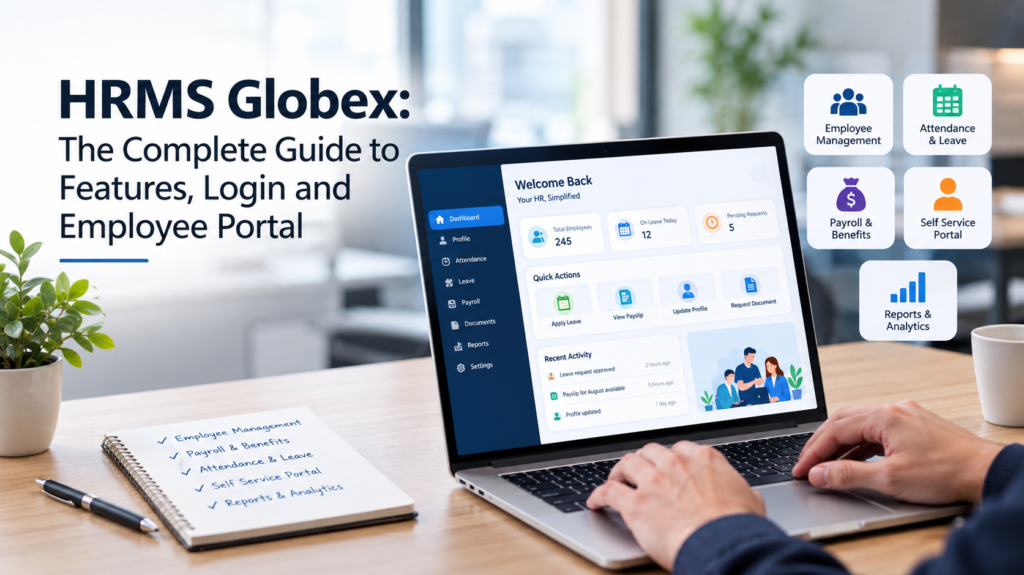
That is exactly the problem HRMS Globex was built to solve. It is a cloud-based Human Resource Management System that puts payroll, attendance, leave, recruitment, and employee records into one dashboard. Instead of juggling spreadsheets and paper forms, HR teams handle everything from a single login and employees get a self-service portal for payslips, leave balances, and personal details.
In this guide, you will learn what the platform does, how its features work, how to log in to the employee portal, and whether it fits your business. No fluff, no jargon just a clear, practical walkthrough.
HRMS Globex at a Glance
Before we go deeper, here is a quick snapshot:
Detail | Information |
|---|---|
Type | Cloud-based Human Resource Management System |
Core modules | Payroll, attendance, leave, recruitment, performance, employee records |
Employee portal | Yes, payslips, leave balance, attendance, personal details |
Best for | Small to mid-sized businesses and growing teams |
Access | Web-based login through your company’s portal |
Key strength | All-in-one dashboard with self-service for employees |
What Is HRMS Globex?
HRMS Globex is a cloud-based HR software platform designed to take the manual work out of human resource management. The name breaks down simply: HRMS stands for Human Resource Management System, and Globex is the platform brand. Together, they describe one connected system that manages the entire employee lifecycle from hiring to payroll to exit.
Before systems like this existed, HR teams lived in spreadsheets. Payroll ran through one tool, attendance through another, leave requests through email, and employee records through filing cabinets physical or digital. Every handoff between systems created room for error.
This platform replaces that patchwork with one connected dashboard. Employee data lives in a central database. Payroll pulls attendance automatically. Leave balances update in real time. Managers approve requests from a screen instead of digging through inboxes. The result is fewer errors, faster processes, and an HR team that spends less time on admin and more time on people.
It serves two audiences at once. HR administrators get control records, payroll runs, compliance reports, analytics. Employees get convenience a self-service portal where they can check payslips, apply for leave, and update personal information without emailing HR for every small thing.
Key Features of HRMS Globex
A long feature list means nothing if you do not know what each piece actually does for you. Here is a practical breakdown of the core modules.
Payroll Management
Payroll is where HR platforms prove their worth. The system calculates salaries automatically, factoring in attendance, overtime, bonuses, and deductions. Tax calculations follow your configured rules, and digital payslips generate with each pay cycle.
For HR teams, this removes the most error-prone task on their plate. For employees, it means payslips arrive on time and match the hours they actually worked. Disputes drop because the math is visible and consistent.
Attendance Tracking
The attendance module records check-ins and check-outs through biometric devices, badge readers, or manual logins. It calculates working hours, flags late arrivals, and feeds the data straight into payroll.
Managers can spot patterns like repeated lateness or absenteeism trends without building reports by hand. Employees can view their own attendance history, which keeps everyone honest and informed.
Leave Management
Leave requests move through a simple workflow: the employee applies, the manager approves, the balance updates. The system tracks annual leave, sick leave, and other leave types separately, so balances stay accurate.
No more email threads asking “how many leaves do I have left?” Employees see their balance in the portal. Managers see team availability at a glance. HR sees the full picture across the company.
Recruitment and Onboarding
Hiring stays organized with applicant tracking job postings, applications, and interview stages in one pipeline. When a candidate accepts, onboarding kicks in: document collection, setup checklists, and orientation tasks.
This matters more than it sounds. A messy onboarding experience is one of the top reasons new hires disengage early. A structured process makes day one feel professional instead of chaotic.
Performance Management
Managers and employees set goals inside the system, then track progress across review cycles. Performance reviews, feedback notes, and appraisal history stay attached to the employee record.
Over time, this builds a fair, documented picture of each person’s contributions useful for promotions, raises, and honest conversations about growth.
Employee Self-Service Portal
This is the feature employees touch most. Through the portal, they can download payslips, check leave balances, apply for time off, update personal details, view company announcements, and raise HR queries.
Every self-service action is one fewer email in HR’s inbox. Multiply that across a whole company, and the time savings are enormous.
Reports and Analytics
Raw data becomes useful through reports: headcount summaries, attrition trends, payroll costs, attendance patterns. HR leaders use these for planning hiring forecasts, budget discussions, and compliance reviews.
Good reporting turns HR from a cost center into a strategic function. Decisions start coming from numbers instead of gut feeling.
HRMS Globex Login: Step-by-Step Guide
A large share of people searching for this platform just want to log in. Here is how the employee portal login typically works:
- Open your company’s official HRMS login page. Your HR team provides the link it is unique to your organization.
- Enter your Employee ID or username.
- Enter your password.
- Click Login.
- You will land on your employee dashboard, where payslips, attendance, leave balance, and announcements are visible.
Forgot Your Password?
Locked out? Do not panic. Most portals include a Forgot Password option on the login screen:
- Click Forgot Password.
- Enter your Employee ID or registered email address.
- Complete the verification step, such as a code sent to your email or phone.
- Create a new password and log in.
If that does not work, contact your HR department or IT support they can reset access from the admin side. Never share your login credentials with colleagues, and avoid signing in from public computers.
Login Troubleshooting Tips
- Double-check caps lock before assuming the password is wrong.
- Clear your browser cache if the page loads incorrectly.
- Try a different browser if buttons or menus do not respond.
- Confirm with HR that your account is active, especially if you are a new joiner.
Benefits: Employers vs Employees
The platform pulls its weight on both sides of the desk. Here is how the value breaks down:
Area | For Employers & HR Teams | For Employees |
|---|---|---|
Payroll | Automated calculations, fewer errors, on-time salary runs | Accurate, on-time pay with digital payslips |
Attendance | Real-time tracking and pattern insights | Transparent personal attendance history |
Leave | No manual balance tracking | Instant balance visibility, easy applications |
Records | Central, searchable employee database | Simple profile updates without paperwork |
Communication | Announcements reach everyone at once | Company updates in one place |
Time savings | Hours of admin work removed weekly | No waiting on HR for routine requests |
Pros and Cons
No honest guide skips the trade-offs. Here is a balanced look:
Pros
- All-in-one platform replaces multiple disconnected tools
- Self-service portal cuts HR’s routine workload dramatically
- Automation reduces payroll and attendance errors
- Cloud-based access from any device with a browser
- Scales from small teams to larger organizations
Cons
- Like any system, it needs accurate initial data garbage in, garbage out
- Teams used to manual processes need training to adopt it fully
- Results depend on how consistently managers and employees use it
Is HRMS Globex Right for Your Business?
The honest answer: it depends on your pain points. If your HR team spends days each month reconciling payroll, or if leave requests live in scattered emails, a unified system pays for itself quickly in saved hours alone.
Small businesses with a handful of employees might find the setup effort outweighs the benefit at that size, simpler tools can work. But once you cross into dozens of employees, manual HR becomes a liability. Errors creep in, compliance gets harder, and HR staff burn out on admin instead of doing actual people work.
Before adopting any HRMS, map your must-have modules. Do you need recruitment? Performance reviews? Or just payroll and attendance? Knowing your priorities keeps the implementation focused and focused implementations succeed.
Getting Started: Implementation Tips
Buying the software is the easy part. Getting your team to actually use it well takes a little planning. Start with a needs assessment list the HR tasks eating the most hours each week, then prioritize those modules first. Migrate clean data; old errors carried into a new system just become faster old errors.
Train by role, not in one giant session. HR admins need the full dashboard, managers need approvals and reports, and employees need the self-service portal. Short, role-specific walkthroughs stick far better than long generic demos.
Finally, roll out in phases. Launch payroll and attendance first, then add leave, recruitment, and performance once the basics feel natural. Gather feedback after the first month and adjust. Systems succeed when people feel heard, not just when software gets installed.
Frequently Asked Questions
What is HRMS Globex?
It is a cloud-based Human Resource Management System that helps businesses manage payroll, attendance, leave, recruitment, performance, and employee records from one platform. Employees also get a self-service portal for payslips and leave requests.
How do employees log in to the portal?
Open your company’s official HRMS login page, enter your Employee ID and password, and click Login. Your HR team provides the exact link, since each organization has its own portal address.
What should I do if I forget my password?
Use the Forgot Password option on the login screen, verify your identity with your Employee ID or registered email, and set a new password. If that fails, ask your HR or IT team to reset your access.
Can small businesses use it?
Yes. The platform suits businesses of all sizes, though very small teams should weigh the setup effort. It tends to deliver the most value once a company grows past manual spreadsheets.
Is employee data safe in the system?
Cloud HRMS platforms protect data with encrypted connections, password controls, and role-based access meaning employees only see their own information while HR admins see what their role allows. As with any system, strong passwords and careful admin practices matter.
Does it handle payroll taxes and compliance?
The payroll module calculates salaries, deductions, and taxes based on configured rules, and generates payslips each cycle. HR teams still need to keep local labor law settings up to date, but the heavy lifting is automated.
Final Thoughts
HRMS Globex earns its place by doing something simple: it takes the repetitive, error-prone parts of HR and makes them run themselves. Payroll calculates itself. Attendance tracks itself. Leave balances stay current without anyone maintaining a spreadsheet. What is left is the human part of human resources hiring well, supporting people, and building a workplace that works.
If your team is drowning in HR admin, this kind of platform is worth a serious look. Start by listing the tasks eating most of your HR team’s week, then match them against the modules above. And if this guide helped you, share it with a fellow business owner or HR colleague they might need it more than you think.
You may also Like: Mary Joan Schutz: The Verified Story of Gene Wilder’s Second Wife